

Mr Beam Rotary





A strong community where you can find help and exchange ideas!

From the device to the accessories, the consumables and the inspection, you get everything coordinated with us and from a single source !

Made in Germany : You can always rely on quality and service!
Mr Beam Rotary – Now it's your turn!
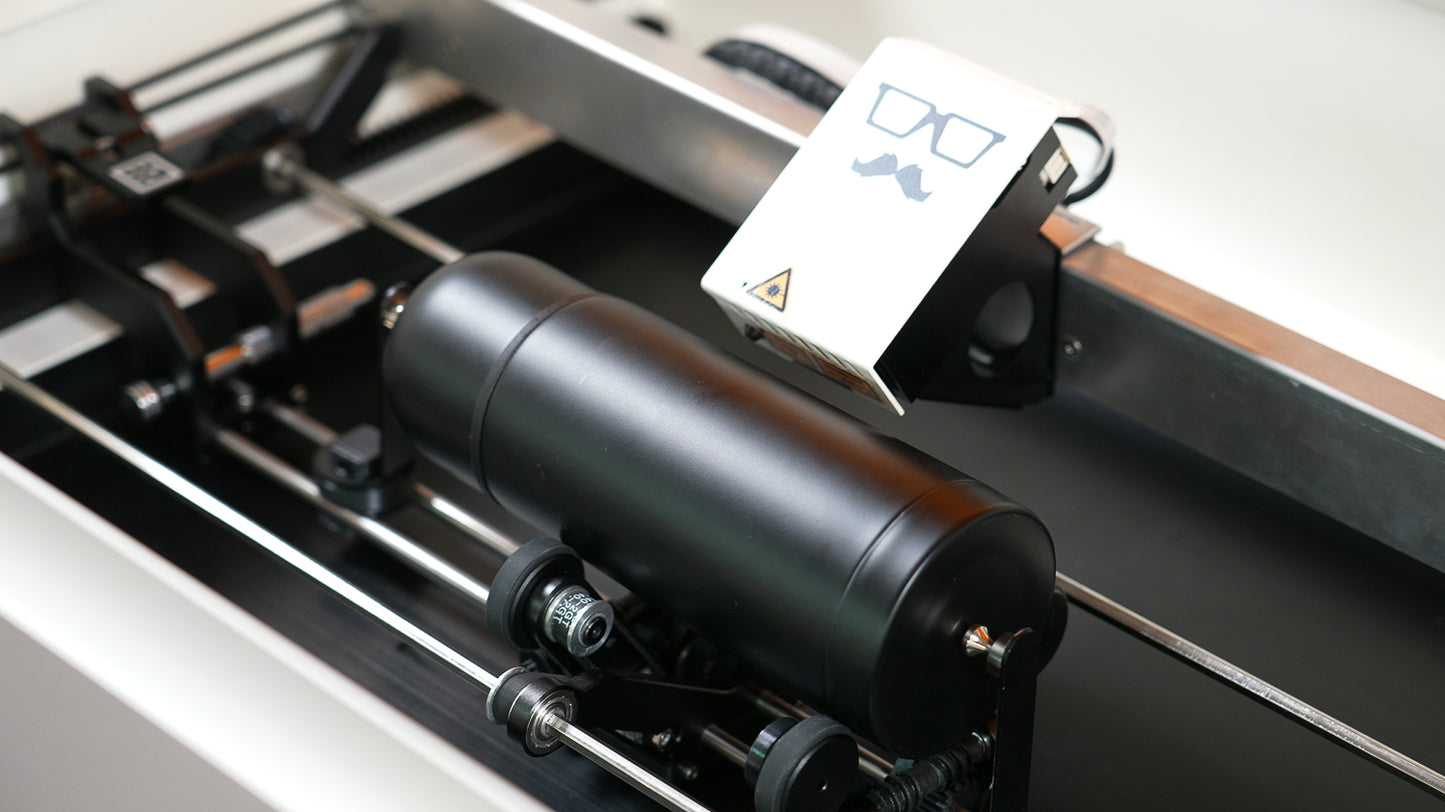
With the Mr Beam Rotary, you can engrave cylindrical and round objects with precision and creativity. Whether it's stainless steel bottles (pre-treated with markSolid spray), candle holders, tumblers, or the popular Stölzle glasses – the Rotary unit expands your Mr Beam laser system with a completely new dimension.
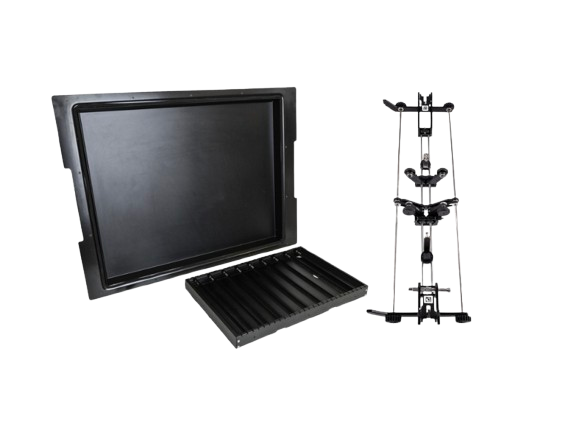
In combination with the Mr Beam Height Extension, you can process not only flat but also taller and round objects – for maximum creativity without limits.
You need BeamOS 2.0 for the Rotary
The upgrade to BeamOS 2.0 brings you:
-
Optimized performance for smooth workflows
-
Intuitive user interface specifically for the Rotary unit
-
More precision thanks to updated camera recognition
Together with the Height Extension, a whole new world of engraving projects opens up to you.
Handmade & German Engineering
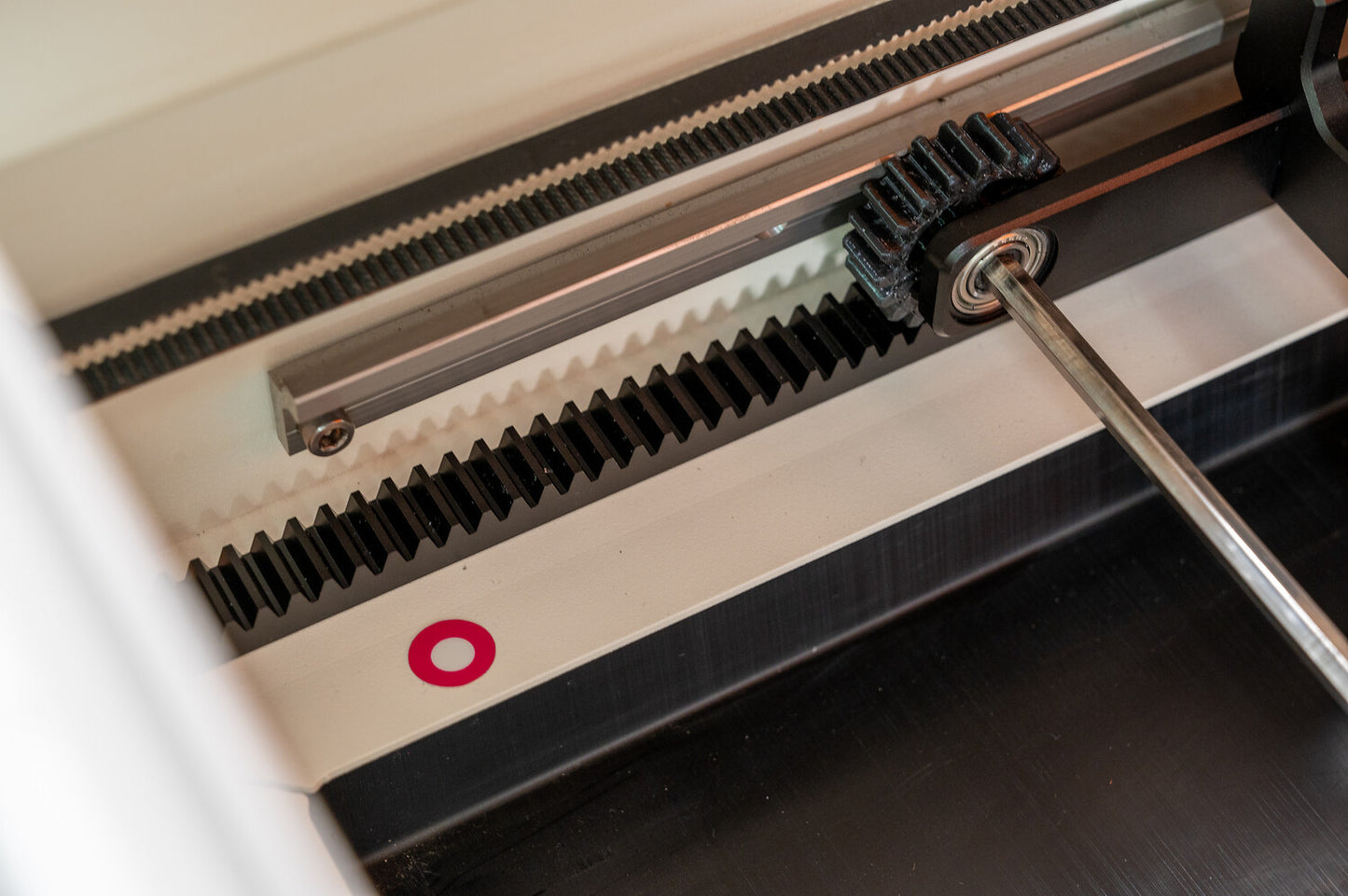
Every Mr Beam Rotary is handcrafted in Munich – over 100 individual parts are carefully assembled and tested. This guarantees you the highest quality and durability. By the way: the Rotary is mechanical and therefore does not need to be connected to electricity.
Tips for your start
-
Read the instructions step-by-step to familiarize yourself with the Rotary.
-
Start with round wooden dowels or our Rotary sample box to get a feel for the machine.
-
In the exclusive Mr Beam Facebook group, you'll find creative project ideas, tips, and assistance directly from the community.
Technical Details & Compatibility
-
Max. diameter of objects: approx. 10 cm
-
Compatible with all Mr Beam II, Mr Beam II dreamcut as well as the [S] and [x] [xx] variants
-
Required accessories: Mr Beam Height Extension and BeamOS 2.0
-
A stronger laser head is required for certain materials (anodized aluminum, stainless steel)
-
Tip: All dreamcut devices can be upgraded to the latest [x] & [xx] laser head
Installation & Setup
-
Install BeamOS 2.0 (current version: 2.5.0)
-
Mount Height Extension (if not already installed)
-
Affix the included Aruco markers (if not already affixed)
-
Recalibrate camera (corner and lens calibration)
This way, your Mr Beam will automatically recognize the Rotary, and you can get started immediately.

Your next step
⚡ Get the Mr Beam Rotary now and discover completely new engraving possibilities – from personalized water bottles to high-quality gift ideas.
📦 Immediately available for all compatible Mr Beam devices.
Downloads for your Mr Beam!
Welcome to our download area – here you'll find helpful information, instructions, and files about your Mr Beam's hardware and software. By the way, some of this can also be found directly in the user interface once you've connected to your Mr Beam.
General information about Mr Beam: Data Sheet [x] & [xx]
Hardware Downloads
Laser Cutter Manual German: Download
Laser Head Cleaning Instructions
Quickstart Guide German: Download
Data Sheet Laser Cutter Mr Beam II dreamcut [S]: Download
Data Sheet Laser Cutter Mr Beam II dreamcut [x]: Download
Data Sheet Laser Cutter Mr Beam II dreamcut [xx]: Download
Data Sheet Air Filter: Download
Air Filter System Manual: Download
Air Filter III Manual: Download
Mr Beam Height Extension Manual: Download
Laser Safety: Download
Declaration of Conformity Mr Beam Laser Cutter: Download
Declaration of Conformity Mr Beam Air Filter System: Download
The Declaration of Conformity can also be found in the Operating Manual.
Here you can download our multilingual manuals
Software Downloads:
Please make sure you are always using the latest file!
Current Software Update: Download
IP Tool (USB): Download
Network Reset (USB): Download
WIFI Configuration (USB): Download
Stick to delete design files: Download
Design Backup Stick: Download
Manufacturer of Mr Beam Laser Cutters & Air Filter Systems and operator of the Mr Beam Design Store:
Mr Beam GmbH
Trappentreustr. 23
80339 Munich
Contact: hello@mr-beam.org
Can I return ordered products?
Consumers have a 14-day right of withdrawal. Please note that, for example, if you purchase a device, this means that it may only be used for testing purposes during the 14-day period. We reserve the right to charge for excessive loss of value. To test the Mr Beam, we recommend renting it in advance. If materials/filters/accessories have been demonstrably damaged during testing and trying out, we reserve the right to demand compensation
How much are the shipping costs?
Free shipping inside of Germany. If you come from another country, shipping will be calculated during checkout.
What is actually covered by the Mr Beam laser cutter's warranty and what is repaired?
The guarantee covers all repairs that arise from possible production or device errors. This applies to the mechanical components as well as all relevant components, safety devices and software. We must invoice for repairs resulting from handling errors or accidental damage by the customer - as this requires us to use additional and unscheduled working time and spare parts. If you have a problem with your Mr Beam, contact us via our ticket system.
You can find more information about repairs on ourrepair service landing pages.
Here you will find the instructions for packing your Mr Beam for return: Packaging instructions
Item number 920-00084
Mr Beam Rotary – Now it's your turn!
With the Mr Beam Rotary, you can engrave cylindrical and round objects with precision and creativity. Whether it's stainless steel bottles (pre-treated with markSolid spray), candle holders, tumblers, or the popular Stölzle glasses – the Rotary unit expands your Mr Beam laser system with a completely new dimension.
In combination with the Mr Beam Height Extension, you can process not only flat but also taller and round objects – for maximum creativity without limits.
You need BeamOS 2.0 for the Rotary
The upgrade to BeamOS 2.0 brings you:
-
Optimized performance for smooth workflows
-
Intuitive user interface specifically for the Rotary unit
-
More precision thanks to updated camera recognition
Together with the Height Extension, a whole new world of engraving projects opens up to you.
Handmade & German Engineering
Every Mr Beam Rotary is handcrafted in Munich – over 100 individual parts are carefully assembled and tested. This guarantees you the highest quality and durability. By the way: the Rotary is mechanical and therefore does not need to be connected to electricity.
Tips for your start
-
Read the instructions step-by-step to familiarize yourself with the Rotary.
-
Start with round wooden dowels or our Rotary sample box to get a feel for the machine.
-
In the exclusive Mr Beam Facebook group, you'll find creative project ideas, tips, and assistance directly from the community.
Technical Details & Compatibility
-
Max. diameter of objects: approx. 10 cm
-
Compatible with all Mr Beam II, Mr Beam II dreamcut as well as the [S] and [x] [xx] variants
-
Required accessories: Mr Beam Height Extension and BeamOS 2.0
-
A stronger laser head is required for certain materials (anodized aluminum, stainless steel)
-
Tip: All dreamcut devices can be upgraded to the latest [x] & [xx] laser head
Installation & Setup
-
Install BeamOS 2.0 (current version: 2.5.0)
-
Mount Height Extension (if not already installed)
-
Affix the included Aruco markers (if not already affixed)
-
Recalibrate camera (corner and lens calibration)
This way, your Mr Beam will automatically recognize the Rotary, and you can get started immediately.
Your next step
⚡ Get the Mr Beam Rotary now and discover completely new engraving possibilities – from personalized water bottles to high-quality gift ideas.
📦 Immediately available for all compatible Mr Beam devices.
Downloads for your Mr Beam!
Welcome to our download area – here you'll find helpful information, instructions, and files about your Mr Beam's hardware and software. By the way, some of this can also be found directly in the user interface once you've connected to your Mr Beam.
General information about Mr Beam: Data Sheet [x] & [xx]
Hardware Downloads
Laser Cutter Manual German: Download
Laser Head Cleaning Instructions
Quickstart Guide German: Download
Data Sheet Laser Cutter Mr Beam II dreamcut [S]: Download
Data Sheet Laser Cutter Mr Beam II dreamcut [x]: Download
Data Sheet Laser Cutter Mr Beam II dreamcut [xx]: Download
Data Sheet Air Filter: Download
Air Filter System Manual: Download
Air Filter III Manual: Download
Mr Beam Height Extension Manual: Download
Laser Safety: Download
Declaration of Conformity Mr Beam Laser Cutter: Download
Declaration of Conformity Mr Beam Air Filter System: Download
The Declaration of Conformity can also be found in the Operating Manual.
Here you can download our multilingual manuals
Software Downloads:
Please make sure you are always using the latest file!
Current Software Update: Download
IP Tool (USB): Download
Network Reset (USB): Download
WIFI Configuration (USB): Download
Stick to delete design files: Download
Design Backup Stick: Download
Manufacturer of Mr Beam Laser Cutters & Air Filter Systems and operator of the Mr Beam Design Store:
Mr Beam GmbH
Trappentreustr. 23
80339 Munich
Contact: hello@mr-beam.org
Can I return ordered products?
Consumers have a 14-day right of withdrawal. Please note that, for example, if you purchase a device, this means that it may only be used for testing purposes during the 14-day period. We reserve the right to charge for excessive loss of value. To test the Mr Beam, we recommend renting it in advance. If materials/filters/accessories have been demonstrably damaged during testing and trying out, we reserve the right to demand compensation
How much are the shipping costs?
Free shipping inside of Germany. If you come from another country, shipping will be calculated during checkout.
What is actually covered by the Mr Beam laser cutter's warranty and what is repaired?
The guarantee covers all repairs that arise from possible production or device errors. This applies to the mechanical components as well as all relevant components, safety devices and software. We must invoice for repairs resulting from handling errors or accidental damage by the customer - as this requires us to use additional and unscheduled working time and spare parts. If you have a problem with your Mr Beam, contact us via our ticket system.
You can find more information about repairs on ourrepair service landing pages.
Here you will find the instructions for packing your Mr Beam for return: Packaging instructions