

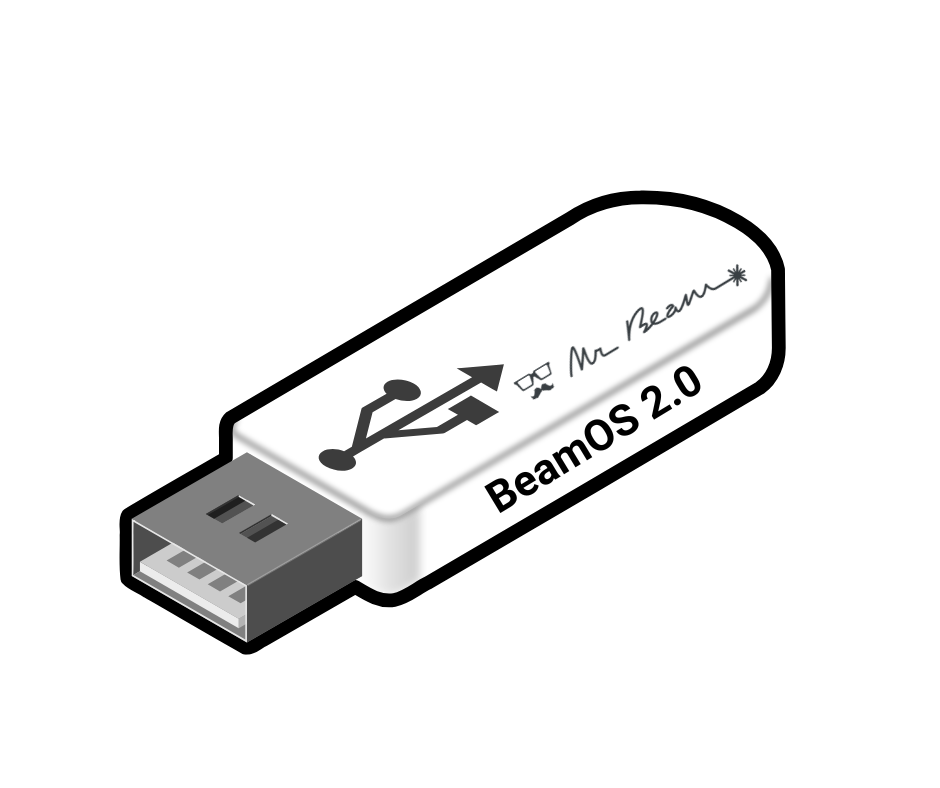
Mr Beam Upgrade USB Stick for BeamOS 2.0

Your choice:
Delivery time 1 - 3 days
Couldn't load pickup availability
Share


A strong community where you can find help and exchange ideas!

From the device to the accessories, the consumables and the inspection, you get everything coordinated with us and from a single source !

Made in Germany : You can always rely on quality and service!
Mr Beam Upgrade USB Stick (optional with Aruco Markers) – Your update for the future!
The Mr Beam Upgrade USB stick is intended for all users who have not yet installed BeamOS 2.0.
With this upgrade, you make your Mr Beam fit for:
✅ Future software updates
✅ New accessories (such as the Rotary extension or the 20W head)
✅ Improved stability, security & performance
BeamOS 2.0 can only be installed using the USB stick from our shop. Therefore, you must order our stick if you want to perform the upgrade. With the code USB, you can get the stick for free with a purchase of 20 Euros or more.
What BeamOS 2.0 brings you – Numerous new features & improvements
BeamOS 2.0 offers not only technical improvements in the background, but also practical new functions:
✨ Rotary Mode: Now you can use the Rotary extension – the material settings adapt automatically.
✨ Back Button & Custom Fonts: Finally, you can undo individual steps in the job setup and save your own fonts - the most requested features from the Mr Beam Community! In addition, with BeamOS 2.0, you can insert offsets and draw freely as well as edit paths in the software.
✨ Better User Guidance: Everything appears tidier and more user-friendly.
✨ More Compatibility: Future features and extensions can be integrated more easily.
✨ Higher Stability: The system runs more reliably, updates can be rolled out faster.
Good to know: After migration, the stick is empty and can be used as a regular USB stick. All further updates will then be free and over-the-air as usual.
Aruco Markers
The stick is also available with Aruco Markers, which your camera needs for BeamOS 2.0. You only need these markers if you do not yet own the Rotary extension. If you already have a Rotary, the version without markers is sufficient.
Aruco Markers significantly improve your camera!
Preparation for the upgrade
✔ Check under Settings > Software Update which version you have. Devices manufactured from summer 2024 onwards already have BeamOS 2.0 pre-installed.
✔ Make sure that at least 8 GB of free storage space is available on your Mr Beam.
✔ Clean your device (including the inside!) and use the "Delete Design" stick to delete old metadata.
✔ Update to version 15.1 beforehand – simply with a different FAT32-formatted USB stick. (the over-the-air update to 15.1 is no longer possible)
👉 Here you can find the step-by-step instructions:
Software Update via USB Stick (offline)
Important note on the update process
⏳ The upgrade takes at least 60 minutes.
‼ IMPORTANT: Do not unplug the USB stick during the update – this can interrupt the update process and damage your device.
Any questions?
Our support team will be happy to help!
👉 Create a support ticket: www.mr-beam.org/ticket
Downloads for your Mr Beam!
Welcome to our download area – here you'll find helpful information, instructions, and files about your Mr Beam's hardware and software. By the way, some of this can also be found directly in the user interface once you've connected to your Mr Beam.
General information about Mr Beam: Data Sheet [x] & [xx]
Hardware Downloads
Laser Cutter Manual German: Download
Laser Head Cleaning Instructions
Quickstart Guide German: Download
Data Sheet Laser Cutter Mr Beam II dreamcut [S]: Download
Data Sheet Laser Cutter Mr Beam II dreamcut [x]: Download
Data Sheet Laser Cutter Mr Beam II dreamcut [xx]: Download
Data Sheet Air Filter: Download
Air Filter System Manual: Download
Air Filter III Manual: Download
Mr Beam Height Extension Manual: Download
Laser Safety: Download
Declaration of Conformity Mr Beam Laser Cutter: Download
Declaration of Conformity Mr Beam Air Filter System: Download
The Declaration of Conformity can also be found in the Operating Manual.
Here you can download our multilingual manuals
Software Downloads:
Please make sure you are always using the latest file!
Current Software Update: Download
IP Tool (USB): Download
Network Reset (USB): Download
WIFI Configuration (USB): Download
Stick to delete design files: Download
Design Backup Stick: Download
Manufacturer of Mr Beam Laser Cutters & Air Filter Systems and operator of the Mr Beam Design Store:
Mr Beam GmbH
Trappentreustr. 23
80339 Munich
Contact: hello@mr-beam.org
Can I return ordered products?
Consumers have a 14-day right of withdrawal. Please note that, for example, if you purchase a device, this means that it may only be used for testing purposes during the 14-day period. We reserve the right to charge for excessive loss of value. To test the Mr Beam, we recommend renting it in advance. If materials/filters/accessories have been demonstrably damaged during testing and trying out, we reserve the right to demand compensation
How much are the shipping costs?
Free shipping inside of Germany. If you come from another country, shipping will be calculated during checkout.
What is actually covered by the Mr Beam laser cutter's warranty and what is repaired?
The guarantee covers all repairs that arise from possible production or device errors. This applies to the mechanical components as well as all relevant components, safety devices and software. We must invoice for repairs resulting from handling errors or accidental damage by the customer - as this requires us to use additional and unscheduled working time and spare parts. If you have a problem with your Mr Beam, contact us via our ticket system.
You can find more information about repairs on ourrepair service landing pages.
Here you will find the instructions for packing your Mr Beam for return: Packaging instructions
Item number 920-00080
Mr Beam Upgrade USB Stick (optional with Aruco Markers) – Your update for the future!
The Mr Beam Upgrade USB stick is intended for all users who have not yet installed BeamOS 2.0.
With this upgrade, you make your Mr Beam fit for:
✅ Future software updates
✅ New accessories (such as the Rotary extension or the 20W head)
✅ Improved stability, security & performance
BeamOS 2.0 can only be installed using the USB stick from our shop. Therefore, you must order our stick if you want to perform the upgrade. With the code USB, you can get the stick for free with a purchase of 20 Euros or more.
What BeamOS 2.0 brings you – Numerous new features & improvements
BeamOS 2.0 offers not only technical improvements in the background, but also practical new functions:
✨ Rotary Mode: Now you can use the Rotary extension – the material settings adapt automatically.
✨ Back Button & Custom Fonts: Finally, you can undo individual steps in the job setup and save your own fonts - the most requested features from the Mr Beam Community! In addition, with BeamOS 2.0, you can insert offsets and draw freely as well as edit paths in the software.
✨ Better User Guidance: Everything appears tidier and more user-friendly.
✨ More Compatibility: Future features and extensions can be integrated more easily.
✨ Higher Stability: The system runs more reliably, updates can be rolled out faster.
Good to know: After migration, the stick is empty and can be used as a regular USB stick. All further updates will then be free and over-the-air as usual.
Aruco Markers
The stick is also available with Aruco Markers, which your camera needs for BeamOS 2.0. You only need these markers if you do not yet own the Rotary extension. If you already have a Rotary, the version without markers is sufficient.
Aruco Markers significantly improve your camera!
Preparation for the upgrade
✔ Check under Settings > Software Update which version you have. Devices manufactured from summer 2024 onwards already have BeamOS 2.0 pre-installed.
✔ Make sure that at least 8 GB of free storage space is available on your Mr Beam.
✔ Clean your device (including the inside!) and use the "Delete Design" stick to delete old metadata.
✔ Update to version 15.1 beforehand – simply with a different FAT32-formatted USB stick. (the over-the-air update to 15.1 is no longer possible)
👉 Here you can find the step-by-step instructions:
Software Update via USB Stick (offline)
Important note on the update process
⏳ The upgrade takes at least 60 minutes.
‼ IMPORTANT: Do not unplug the USB stick during the update – this can interrupt the update process and damage your device.
Any questions?
Our support team will be happy to help!
👉 Create a support ticket: www.mr-beam.org/ticket
Downloads for your Mr Beam!
Welcome to our download area – here you'll find helpful information, instructions, and files about your Mr Beam's hardware and software. By the way, some of this can also be found directly in the user interface once you've connected to your Mr Beam.
General information about Mr Beam: Data Sheet [x] & [xx]
Hardware Downloads
Laser Cutter Manual German: Download
Laser Head Cleaning Instructions
Quickstart Guide German: Download
Data Sheet Laser Cutter Mr Beam II dreamcut [S]: Download
Data Sheet Laser Cutter Mr Beam II dreamcut [x]: Download
Data Sheet Laser Cutter Mr Beam II dreamcut [xx]: Download
Data Sheet Air Filter: Download
Air Filter System Manual: Download
Air Filter III Manual: Download
Mr Beam Height Extension Manual: Download
Laser Safety: Download
Declaration of Conformity Mr Beam Laser Cutter: Download
Declaration of Conformity Mr Beam Air Filter System: Download
The Declaration of Conformity can also be found in the Operating Manual.
Here you can download our multilingual manuals
Software Downloads:
Please make sure you are always using the latest file!
Current Software Update: Download
IP Tool (USB): Download
Network Reset (USB): Download
WIFI Configuration (USB): Download
Stick to delete design files: Download
Design Backup Stick: Download
Manufacturer of Mr Beam Laser Cutters & Air Filter Systems and operator of the Mr Beam Design Store:
Mr Beam GmbH
Trappentreustr. 23
80339 Munich
Contact: hello@mr-beam.org
Can I return ordered products?
Consumers have a 14-day right of withdrawal. Please note that, for example, if you purchase a device, this means that it may only be used for testing purposes during the 14-day period. We reserve the right to charge for excessive loss of value. To test the Mr Beam, we recommend renting it in advance. If materials/filters/accessories have been demonstrably damaged during testing and trying out, we reserve the right to demand compensation
How much are the shipping costs?
Free shipping inside of Germany. If you come from another country, shipping will be calculated during checkout.
What is actually covered by the Mr Beam laser cutter's warranty and what is repaired?
The guarantee covers all repairs that arise from possible production or device errors. This applies to the mechanical components as well as all relevant components, safety devices and software. We must invoice for repairs resulting from handling errors or accidental damage by the customer - as this requires us to use additional and unscheduled working time and spare parts. If you have a problem with your Mr Beam, contact us via our ticket system.
You can find more information about repairs on ourrepair service landing pages.
Here you will find the instructions for packing your Mr Beam for return: Packaging instructions